Ally for Web is a tool that scans websites weekly and provides an overall accessibility score. The Ally for Web dashboard and its exported reports include data on your domains (individual websites), webpages, pages, PDFs, Word documents, and PowerPoint (PPTx) files. You will get access to the websites you manage on Ally for Web. Reach out to itaccessibility@uconn.edu in the case of any access issues.
Accessibility Scoring
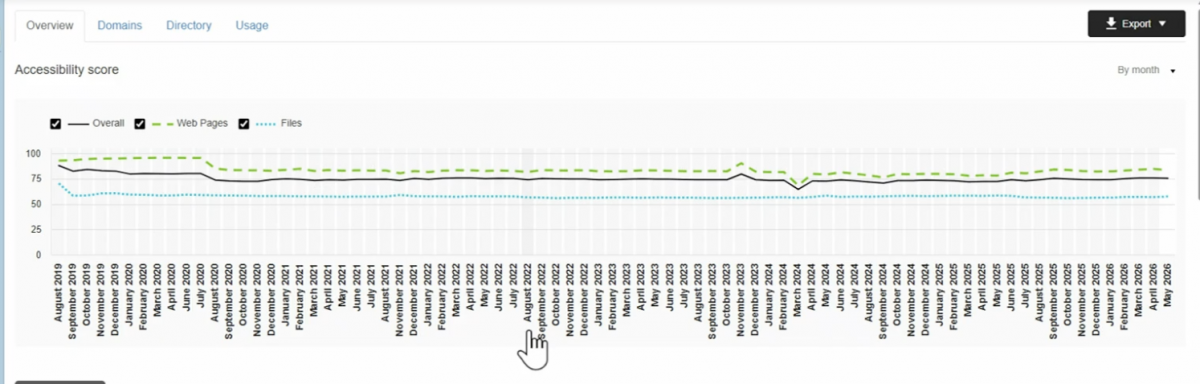
Ally generates an accessibility score by reviewing both web pages and their uploaded content (e.g., images, files, multimedia). Scores are based on a rubric drawn from the WCAG 2.2 guidelines. Different scores show different levels of inaccessibility. For example, a score of 87% for webpages shows that a site’s webpages are accessible but can be improved.
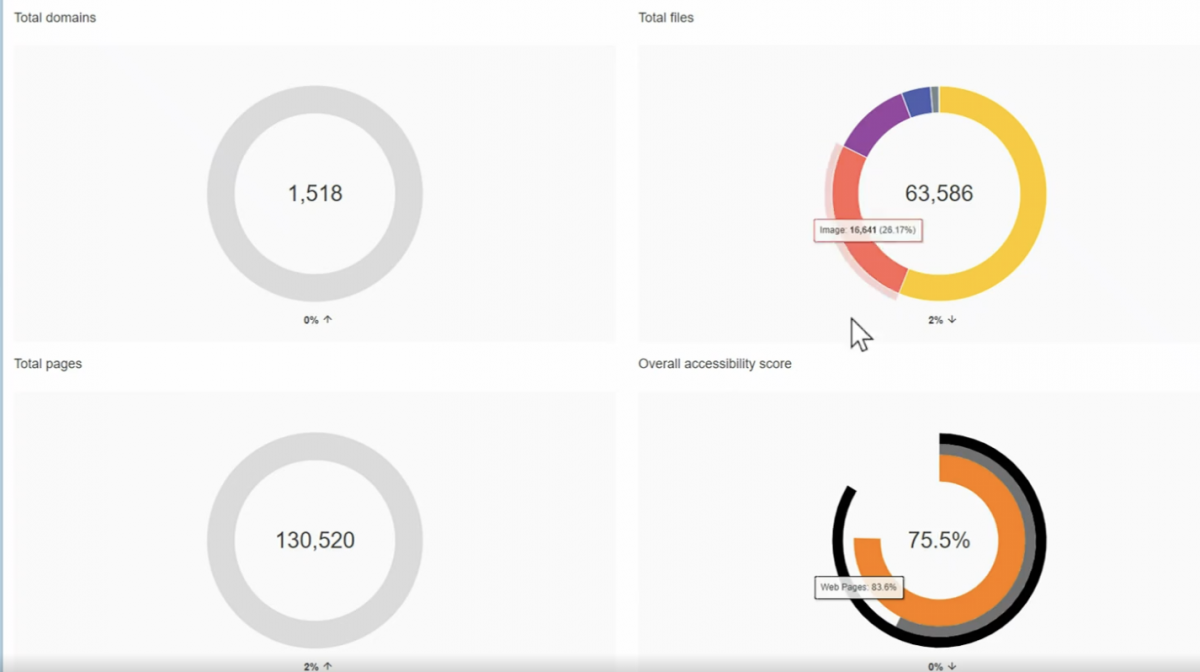
The first thing visible on the Ally for Websites page is an overview of the overall scoring for all of the websites you manage, and how it has changed over time. Details on the total domains, files, and pages, along with the overall accessibility score are also included.
These details can also be exported by clicking the Export button at the top right of the screen:
- Export > Select Dates
- The recommended time period is from the first of the month to date.
- Too short of a date range may not provide the details for all of the sites
Domains
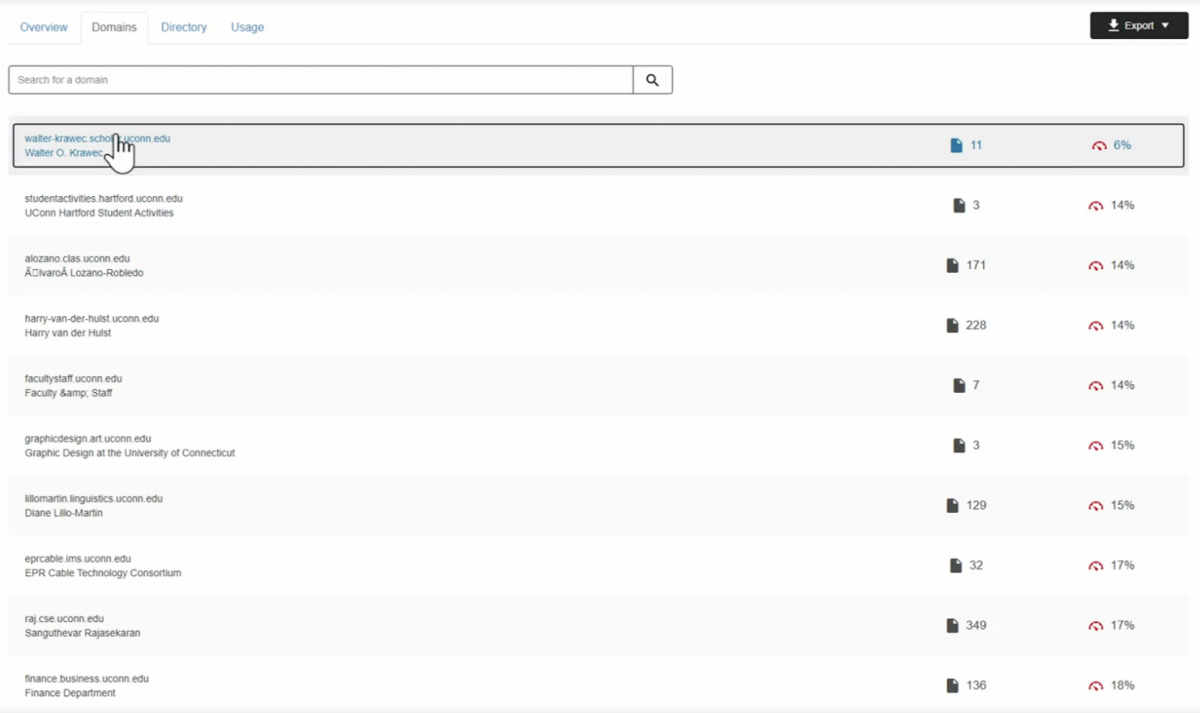
Selecting “Domains” in the top navigation will provide a list of all of the sites you have access to, along with their respective score and the number of pages in the domain.
Site-Level Details and Exporting
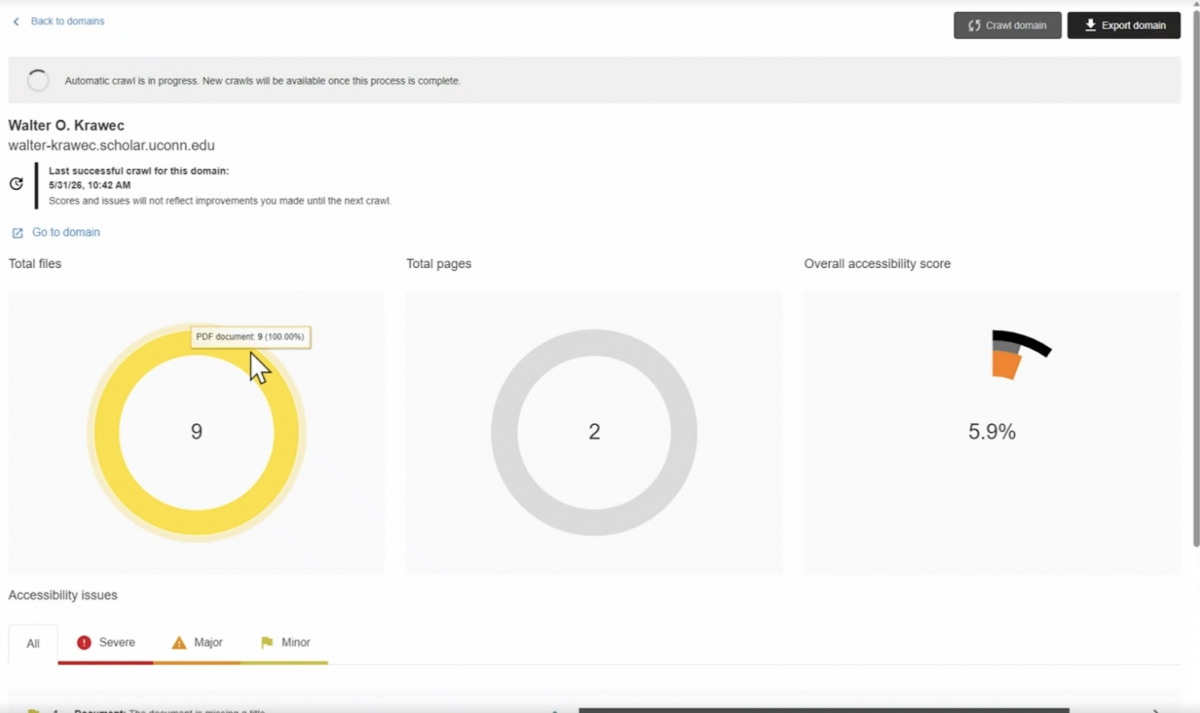
Clicking a specific site in the list of domains will then provide the details for that particular site, and it can also be exported. The site details include:
- Total files on the site
- Total pages on the site
- Overall accessibility score for that specific page
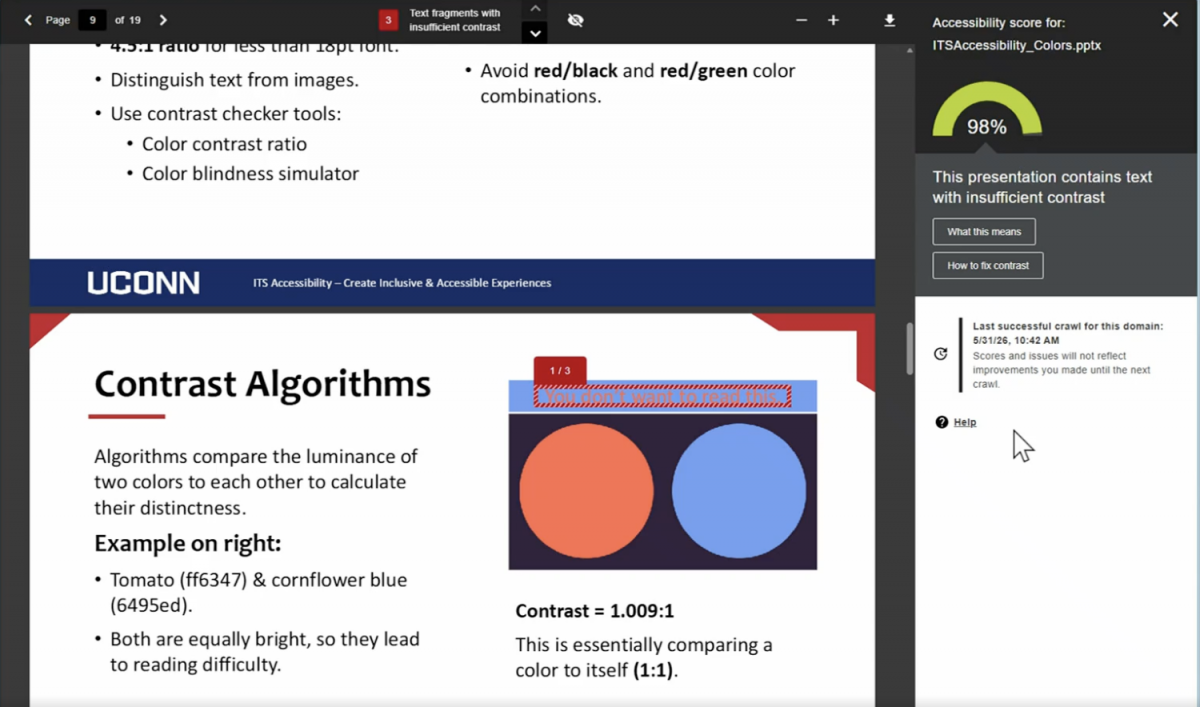
The site-level details can also be used to check the accessibility scoring of individual documents and files on the site and identify any issues. The example on the left shows the Ally accessibility scoring of a PowerPoint, and a highlighted issue (in this case color contrast) and how to fix it.
The site-level details can be exported and analyzed. Additionally, if you have many PDFs on your page, you can reach out to itaccessibility@uconn.edu for an even more detailed analysis of the export. ITS Accessibility can provide a list of all of the PDFs on your site along with their metadata, including modified date and number of pages. This will help you decide what to remediate, delete, and archive.
Note that Ally scans every Saturday. An indicator will be at the top of the page if a crawl is in progress.
For frequently asked questions, check out the Knowledge Base Article on Ally for Web.